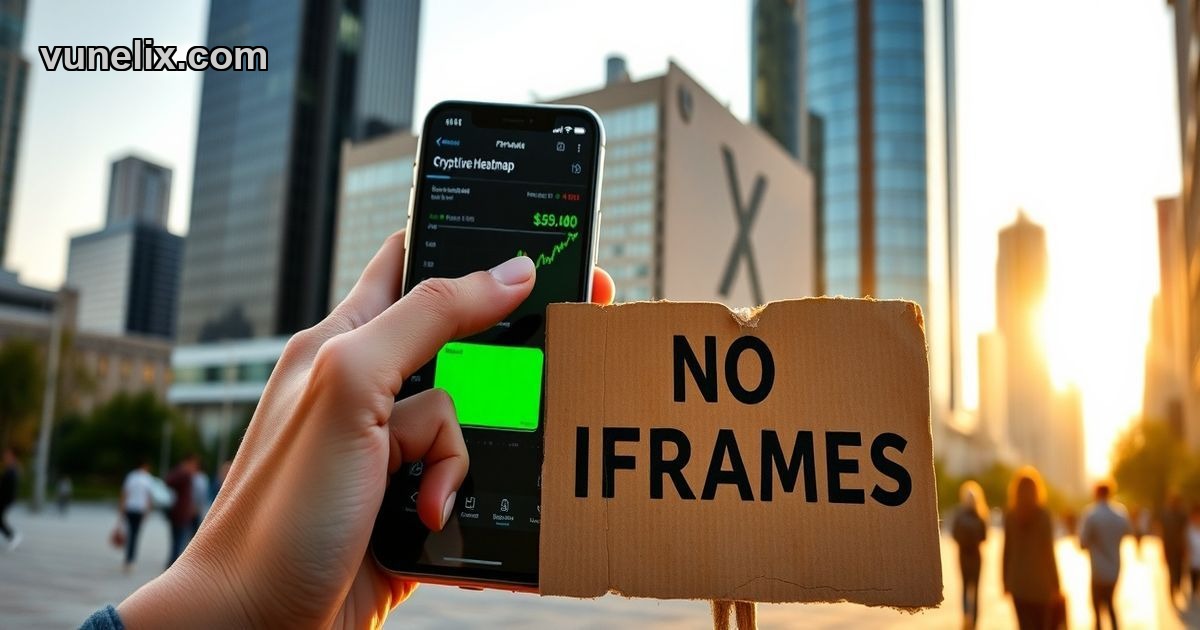
Every TradingView widget on your page is an iframe. That means a full HTML document loading inside another document — separate CSS, separate JavaScript, separate fonts. One widget, fine. Five widgets, slow. Ten widgets, Lighthouse score tanks.
Shadow DOM changes that. Free financial widgets for website built with Web Components render directly in your DOM. No iframe sandbox. No external scripts per widget. One shared module, multiple widgets, one connection.
Free Financial Widgets for Website 2026 — What Actually Changed
TradingView still dominates embed widgets. Most finance blogs, crypto news sites, portfolio trackers — all iframe embeds with the TradingView logo bottom-right. That logo disappears if you pay. Custom colors unlock if you pay. The iframe stays either way.
Vunelix flipped the model. Everything that costs money on TradingView — color customization, theme control, branding removal — ships free. The trade-off: smaller data catalog, newer platform, less brand recognition. But the tech stack is faster.
TradingView Widgets Free Alternative — Performance Breakdown
Here's what happens when you embed five TradingView widgets on one page. Each iframe loads a bundled app — HTML skeleton, CSS reset, external fonts, charting library, WebSocket client. Five iframes, five bundles, five WebSocket connections. Your server sends five separate HTTP requests to TradingView's CDN. Render-blocking.
A TradingView widgets free alternative using Shadow DOM loads one async ES module. That module registers custom elements. You drop five <vunelix-ticker> tags on your page. Same script. Same WebSocket. Shadow DOM keeps each widget's CSS isolated without the iframe cost.
Core Web Vitals impact: iframes delay LCP because the browser has to parse a nested document. Web Components render as part of your main document — faster paint, lower CLS, better INP.
How to Use Free Financial Widgets for Website — Setup in 90 Seconds
No API keys. No npm install. No React wrapper.
- Pick a widget type — ticker, heatmap, screener, converter, technical analysis.
- Set symbols, colors, theme mode in the configurator. Preview updates live.
- Copy the HTML snippet. Paste into your site.
Works on WordPress, Shopify, Webflow, Wix, static HTML, any CMS that lets you drop a script tag. The widget auto-detects your site's dark mode toggle — class="dark", data-theme, data-bs-theme, or prefers-color-scheme — and switches themes without a page reload.
TradingView iframes can't do that. The iframe is sandboxed. It doesn't know your site toggled dark mode. You'd need to reload the iframe with a different theme parameter.
Free Financial Widgets for Website Review — Widget Coverage
TradingView has more widgets. Mini chart, symbol overview, market quotes, economic calendar, forex cross rates, screener, heatmap, crypto market overview, single ticker. They cover stocks, forex, crypto, bonds, indices, futures, options.
Vunelix covers:
- Tickers — scrolling tape, static cards
- Market movers — top gainers, losers by percentage change
- Currency tools — converter with 150+ fiat, cross rates matrix
- Heatmaps — market cap sized, percent change colored
- Screeners — sortable tables, custom columns, watchlists for stocks, crypto, forex, ETFs, ADRs, DEX tokens
- Technical analysis — RSI, MACD, moving averages, Bollinger Bands, pivot points
No economic calendar. No bond data. No futures or options. But DEX coverage — Uniswap, PancakeSwap, Raydium tokens with live prices. TradingView doesn't index DEX pairs.
Best Free Financial Widgets for Website — Color and Branding Control
TradingView free tier: light theme or dark theme. That's it. Want custom background color? Paid plan. Want to change positive/negative green/red? Paid plan. Want to remove the logo? Paid plan.
Vunelix free tier: full color picker for background, text, borders, positive moves, negative moves. Separate values for light mode and dark mode. The "by Vunelix" text link stays — no logo overlay, just a small credit line. You can't remove it, but it doesn't block chart data.
Visual diff: TradingView widgets look like TradingView. Vunelix widgets look like your site.
WebSocket Live Data — One Connection for All Widgets
Each TradingView iframe opens its own WebSocket. Five widgets, five WebSocket handshakes, five simultaneous streams. Your browser's connection limit per domain applies — too many iframes, some widgets queue.
Vunelix uses a shared WebSocket managed by the module. First widget on the page opens the connection. Every additional widget subscribes to the same stream. When you close the page, one disconnect. Lower server load, faster updates, no connection queueing.
Prices update in milliseconds. Ticker tape scrolls smooth, no flicker. Screener rows repaint on price change without re-sorting the table unless percent change rank shifts.
Widget Types and Real-World Use Cases
Tickers work on blog headers — narrow strip, 15-20 symbols, auto-scroll. I've seen crypto news sites run a static 6-symbol ticker card grid above the fold. Updates every second. No scroll.
Heatmaps fit portfolio dashboards. Crypto heatmap sized by market cap, colored by 24h change. One glance, you see the market. Bigger the box, bigger the coin. Greener the box, bigger the pump. No need to read a table.
Screeners replace static tables. You embed a stock screener filtered to S&P 500, sorted by volume. Readers click column headers to re-sort. Click a row, modal opens with more data. No page reload.
Currency converters belong on fintech blogs, expat forums, remittance comparison sites. Live rates, 150+ currencies, two-way conversion. Add a cross rates table below it — EUR vs USD vs GBP vs JPY vs AUD in one matrix.
Technical analysis widgets show indicator calculations without opening TradingView. RSI above 70? Overbought. MACD crossover? Momentum shift. Embed it on a coin page, readers see the signal inline.
When TradingView Still Wins
TradingView has 15 years of widget development. More chart types, more indicators, more integrations. The full-featured chart widget with drawing tools, multi-timeframe layouts, saved templates — that's still unmatched.
If you need bonds, futures, options, earnings data, or advanced chart patterns — TradingView. If you need a quick screener, heatmap, or live ticker with full color control and no iframe bloat — embed financial widgets with Shadow DOM.
Brand trust matters too. A visitor sees TradingView logo, they trust the data. They see "by Vunelix", they might ask "what's Vunelix?" That gap closes as more sites adopt it. But today, TradingView's name carries weight.
Shadow DOM Isolation Explained
Your site's CSS uses .card class for blog post previews. The widget also uses .card for price containers. Without isolation, your styles break the widget or the widget breaks your layout.
Shadow DOM creates a boundary. Styles inside the shadow root don't leak out. Styles from your page don't bleed in. The widget's .card and your .card coexist. Zero conflicts.
This is why you can drop a Vunelix widget into any CMS theme — Bootstrap, Tailwind, custom CSS — and it renders correctly. No inline style overrides. No !important hacks.
Auto Theme Detection
Most finance sites toggle dark mode via a button that adds class="dark" to <html> or <body>. Some use data-theme="dark". Some check prefers-color-scheme media query.
Vunelix widgets watch all three. MutationObserver on class and attribute changes. MediaQueryList listener on OS preference. When your site switches theme, widgets switch in real time. No reload. No flash of wrong colors.
TradingView can't do this because iframes are sandboxed from the parent document. You'd have to postMessage a theme change into the iframe or reload it with a new URL parameter.
Data Coverage Gaps
Vunelix indexes CEX crypto, DEX tokens, US stocks, forex pairs, ETFs, ADRs, mutual funds. Missing: bonds, commodities beyond gold/silver, international stock exchanges outside US, options chains, futures contracts.
TradingView covers all that plus economic data, earnings calendars, insider trades, IPO listings, crypto derivatives, synthetic indices.
If you're building a niche site — crypto day trading blog, forex signal service, US stock screener — Vunelix has the symbols. If you're building a Bloomberg Terminal clone, you need TradingView or a paid data provider.
Free vs Paid
TradingView widgets are free with branding. Remove branding, customize colors, get premium data feeds — that's a subscription. Pricing starts around $15/month for basic removal, scales to enterprise deals for white-label embeds.
Vunelix widgets are free. Period. No upsell to a paid tier for color changes or branding reduction. The limitation is data coverage and widget variety, not paywalled features.
If you're running a personal blog, side project, or early-stage startup — free with full control matters. If you're a media company with ad revenue — paying $15/month to remove a logo is trivial.