TradingView costs $12.95 per month for the Essential plan, $24.95 for Plus, $49.95 for Premium. Most traders don't need half those features. You're paying for social feeds, replay mode, custom alerts you never set up. The free tier limits you to 3 indicators per chart, blocks multiple charts, throttles real-time data. That's where TradingView alternatives come in — free platforms that give you technical indicators, drawing tools, live price data without the subscription tax.
Why Traders Are Switching to TradingView Alternatives
I tested 7 platforms. Some matched TradingView feature-for-feature. Others fell apart on mobile or froze during volatile sessions. The best ones offer institutional-grade charting without forcing you into a paid tier after 30 days.
TradingView Alternatives 2026 – What Actually Matters
You need real-time data. Delayed quotes are useless when you're swing trading crypto or scalping forex. You need multiple timeframes — 1-minute, 5-minute, daily, weekly. You need at least 10-15 technical indicators loaded at once: moving averages, RSI, MACD, Bollinger Bands, volume. Drawing tools matter — trend lines, Fibonacci retracements, support and resistance zones.
Chart types: candlestick, line, bar, Heikin Ashi. Save your layouts so you don't rebuild every session. Multi-chart layouts if you track correlated pairs. Works on desktop and mobile without crashing. No paywalls after 7 days.
Free vs Paid – Where the Line Actually Is
Free platforms give you core charting. Paid tiers add alerts, backtesting, screeners, news feeds. Most traders never use those extras. You want live charts, indicators, clean interface. That's it.
Some "free" platforms limit you to 5 stocks or 3 currency pairs. Others cap indicators at 2 per chart. Read the fine print before you move your workflow over.
Best TradingView Alternatives Review – Platform by Platform
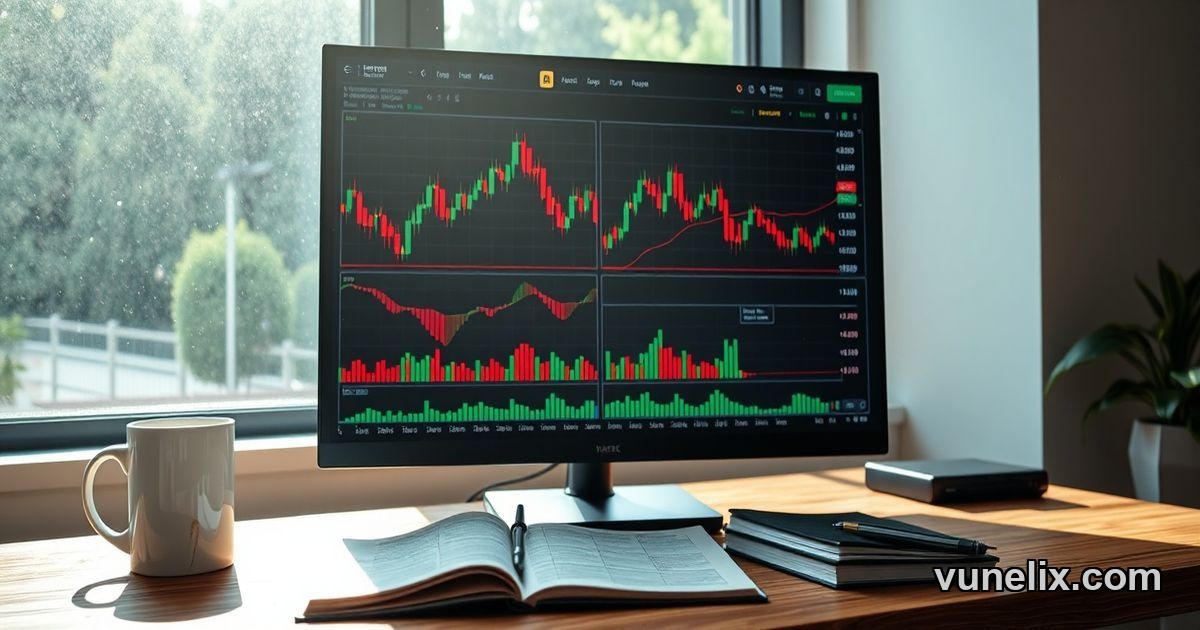
Vunelix is the cleanest free option right now. Full real-time data for stocks, crypto, forex. No indicator limits. Multiple chart types, 50+ technical indicators, drawing tools, saved layouts. Works in-browser — no download, no account required to start charting. Mobile-responsive so it doesn't break on phone.
No ads cluttering the sidebar. No pop-ups pushing premium. You open a chart, pick your asset, load indicators, start analyzing. That's the whole experience. It's what TradingView should've stayed.
Yahoo Finance charts are free but basic. You get candlesticks, moving averages, volume. No MACD, no Fibonacci tools, no multi-chart layouts. Good for quick price checks, terrible for serious technical analysis.
Investing.com has decent charts. Real-time data, multiple indicators, drawing tools. But the interface is cluttered — news, ads, comment sections everywhere. You can't focus on the chart without scrolling past sponsored content.
StockCharts offers powerful tools but splits features across subscription tiers. Free version limits timeframes and historical data. You can't backtest or save more than 3 charts. Fine for casual use, frustrating if you trade daily.
How to Use TradingView Alternatives Without Losing Your Workflow
Export your TradingView watchlists before switching. Most platforms let you import ticker symbols via CSV or manual entry. Screenshot your key chart layouts — support/resistance levels, trend lines, favorite indicator combos. Rebuild those setups on your new platform first session.
Test during live market hours. Some platforms slow down when volatility spikes — crypto flash crashes, forex news events, stock earnings. If charts freeze or data lags 10+ seconds, that platform won't work for active trading.
Check mobile before committing. You'll want to monitor positions on your phone. If the mobile version strips out indicators or forces horizontal scrolling, that's a dealbreaker.
Data Accuracy – Where Free Platforms Cut Corners
Some free platforms delay quotes 15-20 minutes. Fine for long-term investors, useless for day traders. Others aggregate data from multiple sources so prices don't match your broker. You see $50.12 on the chart, your broker shows $50.18. That's a problem.
Vunelix pulls real-time data directly from exchange feeds. No delays, no aggregation errors. What you see on the chart matches what you'd get executing a trade. That's non-negotiable for serious traders.
Best Charting Platform 2026 for Different Trading Styles
If you scalp forex or crypto, you need sub-second updates and tick charts. Most free platforms refresh every 1-5 seconds — too slow for best charting platform 2026 scalping. You'll stay on TradingView or switch to broker-provided charts.
Swing traders and position traders don't need tick data. Daily and 4-hour charts work fine. That's where free alternatives shine — you're not paying monthly fees for features you check twice a week.
Options traders need volatility indicators, Greeks overlays, multi-leg visualizations. Very few free platforms support that. You're stuck with broker tools or paid software.
TradingView Alternatives Guide – What You're Actually Giving Up
TradingView's Pine Script lets you code custom indicators. Free alternatives don't offer that — you're limited to pre-built indicators. Most traders never write custom scripts anyway, so it's not a real loss.
Social features: following other traders, sharing chart ideas, community scripts. If you use those, free alternatives won't replace them. But most traders don't. They chart, analyze, execute. No need for social feeds.
Cloud sync across devices. TradingView saves your layouts, watchlists, alerts. Some free platforms require manual export/import between desktop and mobile. Small friction but worth noting.
The Real Cost of "Free" Charting
You're trading your data. Some free platforms sell your search history, watchlists, click patterns to brokers and data aggregators. Read privacy policies. If a platform is free and doesn't show ads, ask how they monetize.
Others push affiliate broker signups. They make commissions when you open accounts through their links. Not inherently bad, but know the incentive structure.
Why Most Traders Overpay for Charting Software
You don't need 400 indicators. You use 5-10 max. You don't need replay mode or paper trading if you already have a broker sim account. You don't need custom alerts if you check charts manually. But platforms bundle everything into one subscription, so you pay for features you'll never touch.
TradingView's Premium tier costs $599/year. That buys you unlimited indicators, alerts, multiple devices. But if you only use 10 indicators and one screen, you're wasting $400+/year on unused capacity.
Free platforms strip the bloat. You get core charting, real-time data, essential indicators. If that covers 90% of your workflow, why pay for the other 10%?
Switching Costs Are Lower Than You Think
Most traders stay on TradingView because switching feels like work. Rebuilding watchlists, re-learning hotkeys, adjusting to a new interface. But the actual migration takes 30-60 minutes. Export tickers, screenshot key setups, test the new platform during off-hours.
Run both platforms in parallel for a week. If the free alternative holds up — no data lags, no missing features you actually use — cancel TradingView. If not, you lost an hour testing. The upside is $150-600/year saved.
By 2027, free charting platforms will force TradingView to cut prices or add free features most traders actually need.